
Appearance
UserRead announcements
Announcements are messages from your administrators — news, policy changes, deadline reminders, planned downtime. They appear in a panel at the top of your home dashboard.
Find your announcements
Sign in and look just under the greeting on the home page. The Announcements bar shows a megaphone icon and a count of the messages waiting for you.
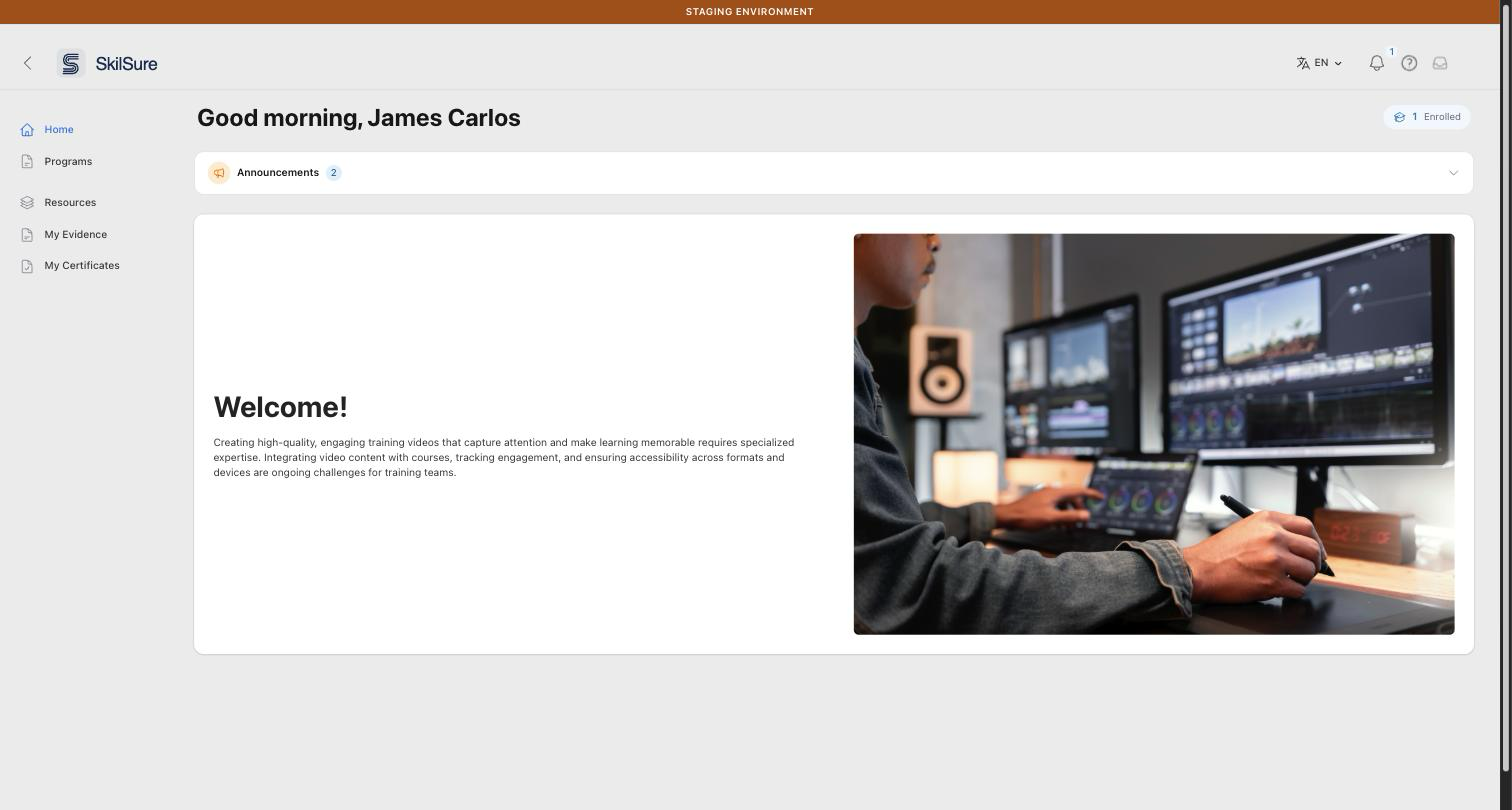 Home page. The Announcements bar sits above the welcome card; the badge shows how many announcements you have.
Click the bar to expand it. Click it again to collapse it.
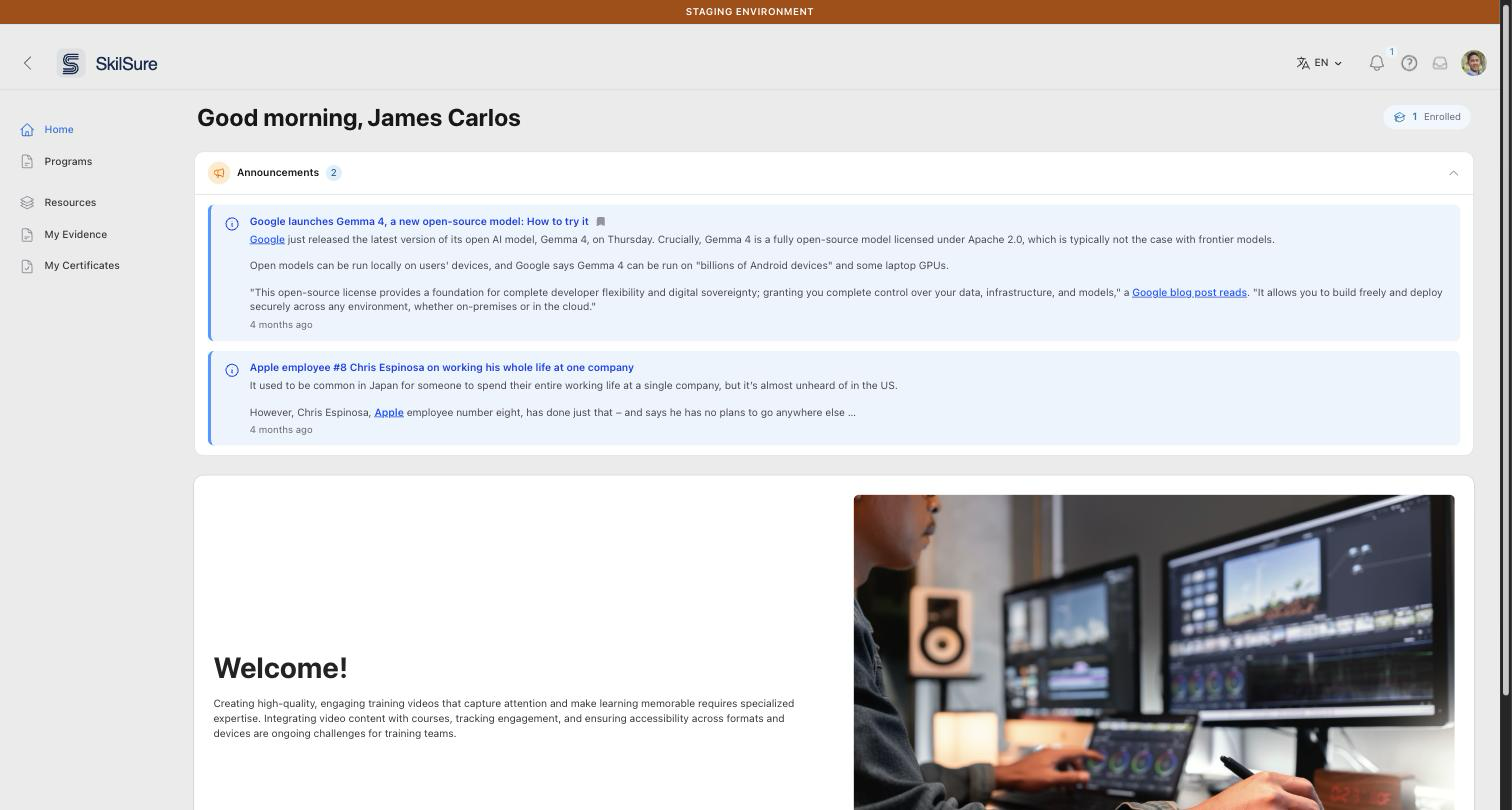 Expanded announcements. Each message shows its title, content, and how long ago it was posted.
If the panel isn't there at all, you have no announcements to read right now.
Some announcements open for you automatically
The panel is normally collapsed. If an administrator marks an announcement as important enough to open by default, the panel is already expanded when the page loads.
What each announcement tells you
- Colour and icon signal the kind of message: blue for information, amber for a warning, green for good news, red for something urgent or problematic.
- A bookmark icon next to the title means the announcement is pinned. Pinned messages stay at the top of the list.
- An "Important" or "Urgent" tag next to the title marks a high-priority message. Read those first.
- The timestamp at the bottom of each message tells you how long ago it was posted.
- Links, lists, and images inside the message work as you'd expect — administrators write announcements in a rich-text editor.
Announcements are ordered for you: pinned first, then by priority, then newest first.
Dismiss an announcement
Some announcements can be dismissed once you've read them. Those show a ✕ button on the right-hand side of the message. Click it and the message disappears from your panel and won't come back.
There is no way to undo a dismissal or bring a dismissed announcement back yourself — if you need to re-read one, ask your administrator.
Announcements without a ✕ can't be dismissed. Your administrator has marked those as messages everyone should keep seeing; they stay in the panel until they expire or are removed.
Only five at a time
The panel shows up to five announcements. If you have more, a line at the bottom reads "Showing 5 of N announcements". Dismiss the ones you've dealt with and the rest move up into view.
Why you see different announcements from a colleague
Administrators can target an announcement at particular roles, portals, programs, or program cycles, so it reaches only the people it's relevant to. They can also schedule one to appear on a future date and disappear after another. So an announcement a colleague mentions may genuinely not be meant for you — or may not have started yet.
If you use more than one portal, you see the announcements for the portal you're currently in.